Looking for streaming tools for beginners? Good, because most of the advice floating around is aimed at people who already have 500 concurrent viewers and a sponsor deal. This page is for the rest of us. You do not need expensive gear or a computer science degree to get a solid stream running. Blind Let’s Plays, cozy game communities, narrative marathons, whatever your angle is, these tools will help you actually track what is working and keep viewers coming back.
Why Streaming Tools Matter
Indie and narrative games are built for streaming. They pull real reactions out of you, they start arguments in chat, and they turn random viewers into regulars who show up next Tuesday because they need to see what happens in chapter three. But none of that matters if you cannot tell what is actually landing with your audience. According to Twitch Creator Camp, the streamers who grow consistently are the ones tracking their metrics and adjusting based on what the numbers say. Not vibes. Numbers.
Five years ago, half this stuff cost hundreds of dollars or required a production team. That era is over. Indie streamers in 2026 have access to real time viewer analytics, broadcast software that holds up against what studios use, and overlay tools that look professional, all free or close to it. You can put together a legit stream setup for the price of a decent mic.
What the Right Tools Help You Do
- Track viewer engagement during key story moments
- Monitor chat activity to catch reactions in real-time
- Analyze growth patterns to optimize your streaming schedule
- Manage overlays and alerts without disrupting the narrative
- Compare performance across different games and time slots
- Build community with moderation and engagement tools
Our Recommended Tools
We tested dozens of streaming tools specifically for indie game content. Most were forgettable. These are the ones that actually held up.
Viewer Analytics
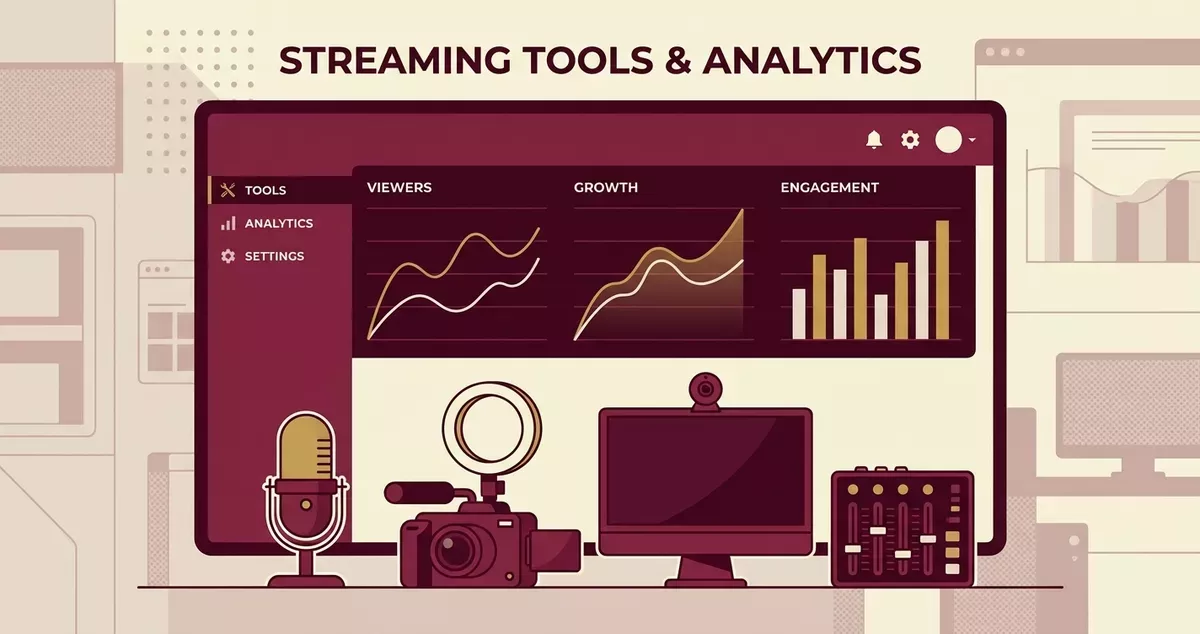
If you are streaming without analytics, you are guessing. Real time viewer tracking shows you exactly when people tune in, when they bail, and which moments keep them glued. Live viewer counts, chat activity spikes, engagement metrics across sessions. That data is how you stop repeating mistakes and start doubling down on what works.
→ viewer count and analytics - Our top picks for tracking viewer engagement metrics.
Stream Setup Essentials
Before you go live, your technical setup needs to match the quality of the games you are playing. Bad broadcast software will sabotage a good stream faster than a bad game choice will.
Broadcasting Software
OBS Studio is still the gold standard. Free, open source, trusted by everyone from first time streamers to partnered creators pulling five figure audiences. Scene management, audio mixing, plugin support. It does everything, and it costs you nothing.
If you want everything bundled together, Streamlabs Desktop wraps OBS’s broadcasting engine in a package that includes alerts, overlays, and widgets out of the box. The free tier handles most of what you need. Premium unlocks more customization, but you can absolutely start without it.
Meld Studio is the newer option worth keeping an eye on. Cleaner interface, built specifically for live streaming, with scene management, audio mixing, and chat integration baked in. Easier to learn than OBS, more flexible than Twitch’s now discontinued Twitch Studio. A solid middle ground.
Recommended Software
| Tool | Purpose | Price |
|---|---|---|
| OBS Studio | Broadcasting | Free, open source |
| Streamlabs Desktop | All-in-one streaming | Free tier available |
| Meld Studio | Streamlined broadcasting | Free tier available |
| Audio Compressor | Voice clarity | Built into OBS |
| Noise Suppression | Clean audio | Free with OBS |
Audio Quality Matters
Narrative games live and die on dialogue and atmosphere. If your audio setup is bad, viewers will leave before the first plot twist. OBS has built in filters that solve most problems: noise suppression kills background hum, and compression evens out your voice levels so you are not whispering during tense scenes and blowing out eardrums during jumpscares.
If you have an NVIDIA RTX card, NVIDIA Broadcast takes audio cleanup further. AI powered noise removal, echo cancellation, voice activity detection. It runs as a virtual audio device between your mic and OBS, scrubbing out keyboard clatter, fan noise, and room echo with almost no latency. Noticeably better than stock OBS filters.
Dual Format Streaming
Twitch is rolling out dual format streaming: simultaneous horizontal and vertical broadcasts that reach desktop and mobile viewers at the same time. Streamlabs Desktop supports this natively. OBS users can bolt on vertical output through the Aitum Vertical plugin. With Twitch’s new Discovery Feed pushing mobile first vertical content hard, dual format means your stream shows up in both browsing experiences instead of just one.
Platform Considerations
This guide focuses on Twitch tools, but most streaming software works across platforms. Kick has grown fast on the back of its 95/5 revenue split (creators keep 95% of subscription revenue), and that alone makes it worth considering as a secondary platform. OBS, Streamlabs, and Meld Studio all support Kick streaming alongside Twitch. Everything covered here applies no matter which platform you land on.
→ Complete Setup Guide - Step-by-step streaming configuration
AI-Powered Streaming Tools
AI tools went from gimmick to genuinely useful for streamers in 2026. They handle grunt work that used to eat hours or require expensive production help.
AI Streaming Tools Comparison
| Tool | Purpose | Price | Best For |
|---|---|---|---|
| NVIDIA Broadcast | AI audio/video processing | Free (RTX required) | Audio cleanup, background removal |
| YourDirectorAI | Automated camera switching | Subscription | Multi-camera setups |
| Streamlabs AI Co-Host | Interactive AI co-host | Streamlabs Ultra | Solo streamers needing chat engagement |
NVIDIA Broadcast is the most practical starting point for indie streamers. You need an RTX card, but the software itself is free. The AI noise removal handles environments that would otherwise need expensive soundproofing. Background removal gives you a clean streaming backdrop without a green screen. Voice activity detection means your mic only picks up speech, not your mechanical keyboard or your roommate’s TV.
AI chat moderation actually works now. StreamElements and Streamlabs both shipped context aware AI moderators this year, and they are well past the glorified keyword blocker stage. For narrative game streams, this matters more than almost anything else. Spoiler management is the killer use case. A keyword filter cannot tell the difference between someone referencing a plot point from a game you finished last week and someone spoiling the ending of the game you are playing right now. The AI mod can. And it handles that distinction surprisingly well.
Automated camera switching through YourDirectorAI adds production polish if you run multiple cameras. The OBS plugin uses facial recognition and intent logic to swap angles automatically, so your broadcast looks more dynamic without you hiring a production assistant or awkwardly clicking scene buttons mid sentence.
Content Repurposing Tools
Hours of stream content, and only the people who happened to be watching live ever see it. That is the problem repurposing tools solve. They pull your best moments and reformat them for TikTok, YouTube Shorts, and Instagram Reels, the platforms where people who have never heard of you actually find you.
StreamLadder
StreamLadder takes horizontal stream clips and reformats them for vertical platforms. TikTok, Shorts, Reels, all of them. The feature worth knowing about is ClipGPT: after you go offline, it scans your VODs, picks out up to 10 moments it thinks are clip worthy, and generates titles, hashtags, and a virality score for each one. Some of those picks are genuinely good. Some miss badly. But it beats scrubbing through four hours of footage yourself.
The workflow is simple. You stream. After the broadcast, StreamLadder flags highlights. You review them (maybe 10 minutes), approve the ones that work, and push them out. One stream turns into five or six short form posts across platforms, and you did not burn your entire next morning in a video editor.
Best For: Streamers who know they should be posting clips but never actually get around to it.
Cross-Platform Growth Strategy
Your stream is the source material. TikTok and YouTube Shorts are where strangers find you, and that is the entire discovery play. Someone watches a 60 second clip of your reaction to a plot twist, likes it, looks up your channel. StreamLadder handles the conversion from stream to clip, so every broadcast turns into a handful of chances for new viewers to stumble across your content without you opening an editing timeline.
Chat and Community
Narrative games start conversations. Good story moments turn your chat into a room full of people losing their minds together. But that only works if you have moderation and engagement tools running so things do not spiral into chaos while you are trying to focus on the game.
StreamElements handles chat moderation and loyalty point systems well for story driven streams. Their chatbot runs polls, manages spam, and triggers alerts, all in the background so you do not have to look away from the game during a critical scene.
Community Building Tools
- Chatbot moderation - Keep chat civil during emotional moments
- Clip creation - Capture memorable reactions automatically
- Community Discord - Continue discussions after stream
- Channel points - Let chat vote on story decisions
- Loyalty systems - Reward viewers who stick around for entire playthroughs
Managing Spoilers
Spoilers will kill a narrative game stream faster than anything else. Set up chat commands and moderation filters before you hit “Go Live,” not after someone drops the ending in all caps. Most chatbots let you build custom word filters. Use them. Block common spoiler phrases for whatever game you are currently playing, and update those filters every session.
Streaming Indie Games: Quick Tips
The Indie Streaming Formula
- Play blind - Your genuine reactions are content
- Use minimal overlays - Let the game’s visuals shine
- Engage during natural pauses - Don’t talk over dialogue
- Track your analytics - Know when your audience is most engaged
- Build series momentum - Returning viewers want to see story progress
- Schedule consistently - Narrative games reward regular viewing patterns
- Repurpose your best moments - Use tools like StreamLadder to turn stream highlights into TikTok/Shorts clips for cross-platform discovery
Finding Your Niche
Indie games give you something AAA titles cannot: genuine discovery. When you stream an indie game, you are usually the first time most of your viewers have seen it. That builds a stronger community bond than playing whatever everyone else is already streaming.
Pick genres that let your personality carry the stream. Cozy games pull a completely different crowd than indie horror, and narrative adventures attract viewers who want to go through a story with someone, not just watch gameplay. Check our guides for cozy games or indie horror games to figure out where you fit.
Growing Your Channel
Everything on this page fits together. Get your broadcast setup locked down, layer in analytics so you know what your audience actually responds to, then add community tools to keep people coming back stream after stream.
Start with viewer analytics to understand who is watching and when. Then check our games for small streamers guide for game picks that give new streamers room to grow instead of drowning in a saturated category.